
Have you heard about the Glorious GMMK 2 mechanical keyboard? You probably have, since Glorious is a pretty big name in the PC gaming space. Glorious reached out and sent over a sample of their GMMK 2 keyboard for review, so let’s get into my first impressions!
Glorious provided the GMMK 2 keyboard at no charge for review purposes. This review is not sponsored nor does this impact my experience with the product.
Glorious GMMK 2
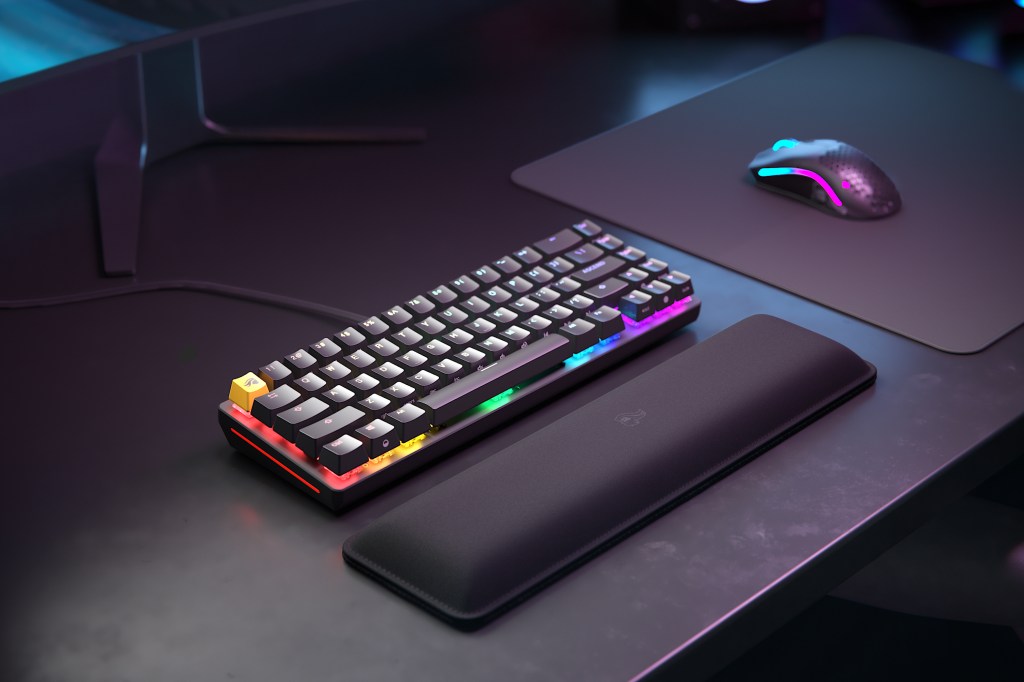
Typing
It really only made sense to write this review using the GMMK 2 keyboard, so that’s what I’m doing right now. And honestly? It’s one of the best typing experiences I’ve ever had.
I’ve been exclusively using the Itachi edition of the HyperX Alloy Origins keyboard since I reviewed it all the way back in October 2022, so I’m accustomed to the massive size of that 100% keyboard. So getting used to the slightly smaller form factor of the GMMK 2 was just a bit of a struggle, but less than I expected.
The only thing that really posed an issue for me in getting used to the size of this keyboard was the location of the right-control key. I’d constantly hit the left arrow when I try to copy or paste something, but after a bit of adjustment it became less of an issue for me. Of course, this would be an issue for anyone that goes from one keyboard size to another, so it’s really not a keyboard issue itself.
After just a few minutes, I found myself chugging along with the GMMK 2 as though I’d been using it for years. In all my keyboard reviews, I’ve never had that happen with a single one. There’s always been a certain level of adjustment and breaking in that I’ve needed in order to properly get a feel for it.
Typing on the Glorious GMMK 2 is the smoothest experience with a keyboard that I’ve ever had. I’ve never really understood when people use “creamy” and “buttery smooth” to describe keyboards, but those are exactly right with the GMMK 2. It’s so good that I don’t even feel the need to angle the keyboard up with the built-in adjustable feet.
I think the only thing that could improve this keyboard would be the inclusion of a wrist rest in the box. Glorious does sell various wrist rests separately, but I’m a firm believer that if you’re going to spend upwards of $100-200 on a keyboard, then there should be at least something included in the box to support your wrists.
Outside of that, in terms of typing with the GMMK 2, I really have nothing negative to say about it.
Gaming
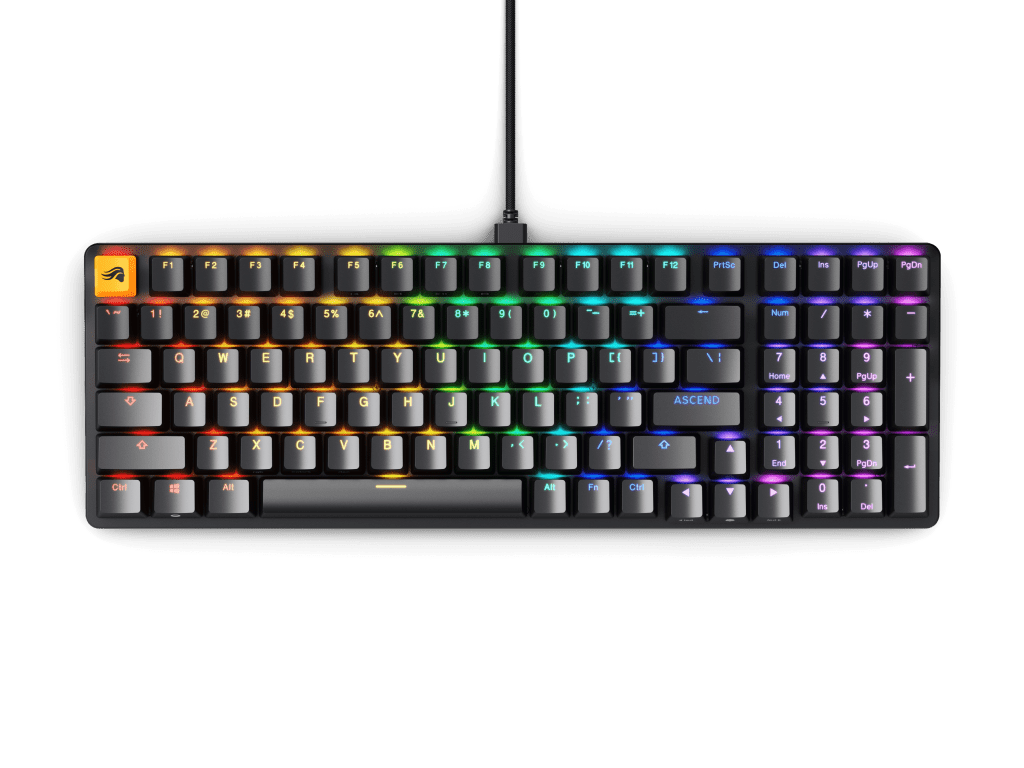
Now, if you’re looking towards Glorious for your keyboard, you’re likely looking for a keyboard fit for gaming.
I played a bit of Helldivers 2 and Destiny 2 with the GMMK 2 (lots of 2’s here, isn’t there?) and I had absolutely no issues with it. I didn’t find myself missing any keys, it was incredibly responsive, and I found my fingers just gliding from one key to the next.
Compared to the HyperX Alloy Origins, I actually would quite rather use the GMMK 2 for both gaming and typing. It feels more comfortable with the more compact form factor while also still providing a full numpad, and it’s just an overall more enjoyable user experience.
Switches
Glorious has chosen Fox Linear mechanical switches for their pre-built GMMK 2 (a barebones option is available for custom keyboard enthusiasts), and they feel and sound amazing.
Initially, I thought the switches on the GMMK 2 were quieter than the HyperX, but I think the opposite is true. I think the switches on the GMMK 2 are a bit louder, but they have a different, less tactile sound than the Alloy Origins, which makes it seem smoother and less noisy.
Glorious Core
Glorious has their own peripheral software called “Glorious Core,” which I won’t get into too much, since I really just want to focus on the keyboard itself, but Core does have some pretty cool features.
In Glorious Core, you can change your keyboard’s lighting effects (there’s even a Kamehameha preset), rebind your keys, and adjust the performance of your keyboard. I found the performance adjustment pretty interesting as it allows users to increase or decrease the polling rate (this is the rate at which the keyboard sends data to the device in which it’s connected) from 125hz to 1000hz. You can also drop the input latency from the default of 16ms all the way down to 2ms. I’m curious as to why Glorious decided to set the default latency to 16ms instead of 2ms — it just seems like that would be something that everyone would change right off the bat.
Overall
At the time of writing, the GMMK 2 retails for $120 but in an effort to lower the barrier to entry, Glorious has dropped it down to just under $85. This is one of the few keyboards I’ve tested and reviewed that I would genuinely feel comfortable recommending even at the $120 price point, which I feel is actually a reasonable price.
But for $85?? That’s such an incredible price for a high-quality keyboard that I still find it hard to believe the sale is still going on. If you’re looking for your first gaming keyboard and trying not to spend your entire PC budget on peripherals — buy this now! And even if you’re not new to the game, if you’re even remotely in the market for a new keyboard or someone you know is looking, please take advantage of this sale and get one of the best keyboards you will ever use in your life.
Like I’ve made it a point before, I will not accept a paid sponsorship to shill a product that I don’t believe in, nor will my coverage be bought. That being said, I can with absolute genuine certainty recommend the Glorious GMMK 2.



 Wallflower Writing
Leave a comment