I’ve had a bit of experience with Saramonic, as I reviewed the BlinkMe B2 last year. Before that I had never heard of the company, but after checking out the BlinkMe B2 I found my interest piqued. Fast forward to now and Saramonic has sent me their Blink500B2+ 4-in-1 microphone system to check out. So let’s check it out!
This review is not sponsored nor is Saramonic offering me payment for this review. The unit was sent to me for free, but just like all my other reviews that doesn’t affect my opinion of the product.
I’m also trying out something new, so included with this written review is a supplemental video review that touches on things that I feel only make sense to include in a video where you can listen to the product’s output.
Saramonic Blink500B2+
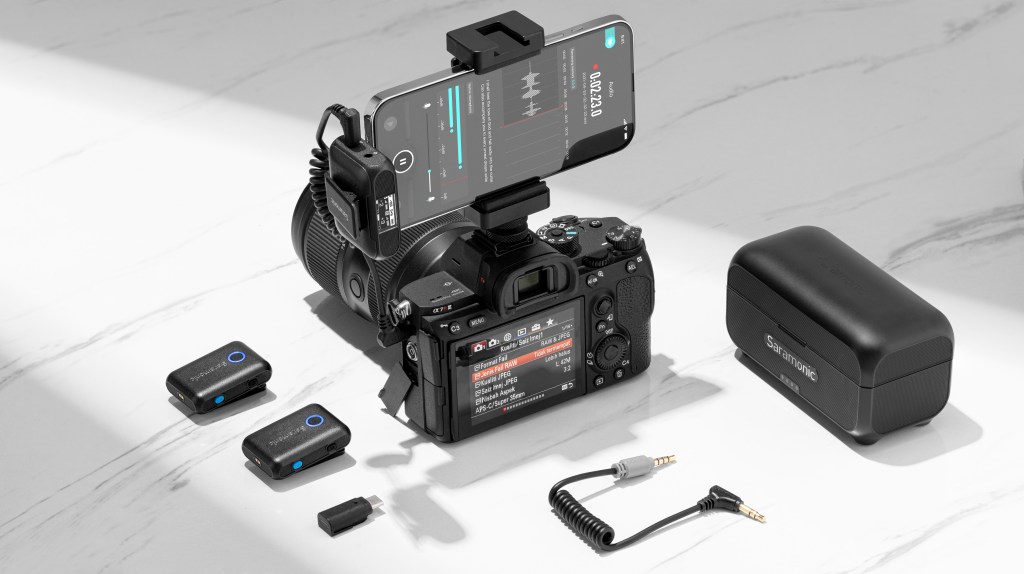
The Blink500B2+ is the latest version of Saramonic’s entry-level competitor to the DJI Mic. It offers two transmitters and a receiver in an AirPods-style carrying case that charges the devices inside while keeping them safe and secure at the same time. (Side note: I really love this style of product, and I think it’s probably the best trend that Apple has quite possibly ever launched.)
It’s clear that Saramonic is trying to capitalize on the success of the DJI Mic as a few other brands like Hollyland have similarly done in the past, and while I haven’t actually used the DJI Mic (or the previous Saramonic iteration: the Blink 500 ProX), I think DJI has some serious competition in the space with this latest Saramonic release.

Sound Quality
I tested the Blink500B2+ on both my iPhone 13 Pro Max and Canon R5C to get a feel for how the microphone sounded on a couple of different devices, pretty much the biggest use cases in which I think most people would be using the Blink500B2+.
Initially, I was pretty unimpressed with the sound quality on the iPhone after playing it back through the speakers of the phone itself. I quickly realized this was my first mistake, as the sound quality was significantly better when playing the video back through my MacBook speakers and subsequently my headphones.
The quality does seem to be a bit better when hooked up to a dedicated mirrorless or DSLR camera compared to the iPhone, though I expect this has less to do with the microphone system itself and more the tech in a phone versus the camera.
READ MORE: The Glorious GMMK 2 is one of the best keyboards I’ve ever used
I was thoroughly impressed with how good the Blink500B2+ sounded, especially for how much it costs (more on that later). The audio coming out of these things sounds full and well-rounded, I didn’t get any muddling or tinniness, the only thing that really bugs me is the fact that it’s actually too loud.
Even when the gain is turned down to the absolute minimum, I still found the microphone to be really loud — not to the point where it’s blowing out the mic, but enough to where you’ll have to turn down the volume in post every time. Again, it’s not a huge deal, but it would be nice to just be able to use the audio as is without having to turn it down every time. A quick fix for this is to just move the mic further away from your mouth, but I already felt like it was pretty low as is and any lower would feel too low, ya know?
Ease of Use
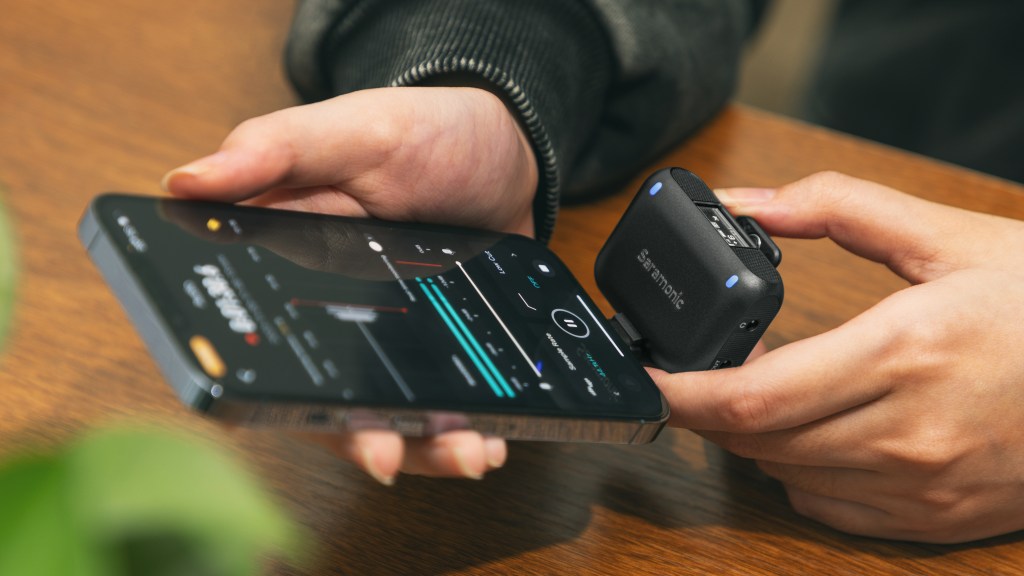
This is, without a doubt, one of the easiest products I’ve ever used (outside of…like…a keyboard or something). You want to talk about plug and play — this is exactly that. Especially with camera equipment, I don’t know if I’ve ever used a product that just straight up works as intended straight out of the box as soon as you plug it in.
It’s so satisfying to use the Blink500B2+, especially with the magnetic system Saramonic uses. There’s magnets everywhere on this thing. On the bottom of the transmitters and receiver, there are magnets that connect with more magnets in the carrying case to charge them and keep them in place, there’s magnets to hold the transmitters onto your clothes, they’re everywhere. Except….on the windscreens.
Unfortunately, Saramonic is still using their snap-on windscreens that I hated in the BlinkMe2, and I still hate them with the Blink500B2+. They really missed a golden opportunity to make use of the magnetic attachment system that they market in the media pack, but no, it’s still just the awful snap-on clip system. I’m really hoping that changes on the next version.
Price
For whatever reason, I had it in my head that the Blink500B2+ was about $300, which would put it in line with the DJI Mic in terms of cost. Funny enough, I was actually still going to recommend it even at that price point. It feels solid, sounds great, and has plenty of features that both everyday video hobbyists and professionals alike would get tons of use from.
However, I was incredibly mistaken, as the Blink 500B2+ is only $129! An absolute steal for anyone looking into a microphone system like this. I couldn’t believe my eyes when I went back into the press materials and saw the actual price.
Bear in mind, I bought the Hollyland Lark M1 Duo on sale for $106 — just under $20 cheaper than the Blink500B2+ — compared to this Saramonic system, the Hollyland Lark is total trash. The Blink500B2+ just absolutely dumps on the Hollyland system and it’s not even close.
Should you buy the Saramonic Blink500B2+?
Yes. If you’re shopping around for wireless mic systems and you’re eyeing the DJI Mic, I ur
ge you to please consider the Saramonic Blink500B2+ instead. Save a few hundred bucks, put that savings towards some other piece of equipment, and get yourself the Blink500B2+!
Video Review
As I said in the intro, I’m trying something new here, so the Saramonic Blink500B2+ will serve as the first video review that I’ve ever done. For now, the video reviews will basically be supplementary to the written reviews and will provide a bit of key information that I believe to be necessary for certain products that don’t exactly translate well into a written review.
Things like sound tests, video quality, etc. — things of that nature.
Below, you’ll find a YouTube link to my video review of the Saramonic Blink500B2+ — I hope you find it useful!
If you’d like to purchase the Saramonic Blink500B2+ you can do so here.



 Wallflower Writing
Leave a comment