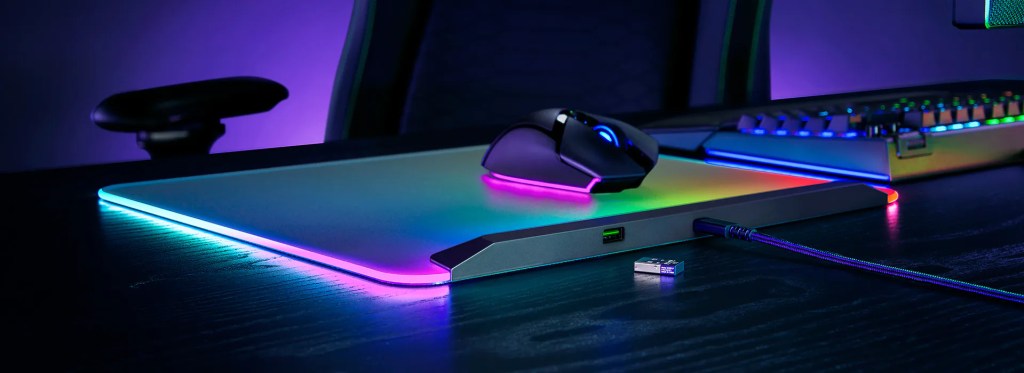
I recently got my hands on the brand new Razer Firefly V2 Pro RGB mouse pad (courtesy of Razer), and I have to say I’m thoroughly impressed with it, so let’s check out the good and the bad of this thing!
This review is not sponsored, nor has Razer paid me to write this review. We received a free review unit for the Firefly V2 Pro, but this does not influence the review in any way, shape, or form.
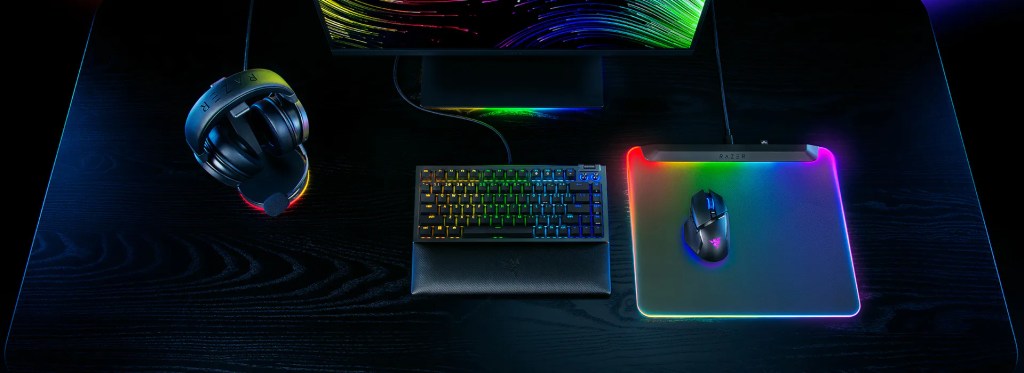
Razer Firefly V2 Pro
The Razer Firefly V2 Pro is the latest mouse pad from gaming company Razer. It’s a $100 fully-illuminated RGB gaming mouse pad that very heavily caters to the “RGB or bust” crowd of gamers and PC enthusiasts alike.
While that isn’t typically my favored aesthetic (it definitely used to be, but I’ve since grown out of it), I have to say I’m finding myself loving the Firefly V2 Pro a lot more than I expected to.
The Firefly V2 Pro is the first time that I’ve used a hard-surface mouse pad, and I was a bit skeptical about it at first as I didn’t really know what to expect after years of using the typical soft-surface mouse pads that you tend to find in most setups. However, I think the Firefly V2 Pro has changed me.
I love how the mouse glides across the surface, and there’s something about the auditory feedback of it moving around that I find really satisfying.
READ MORE: Don’t get the DJI Mic, get the Saramonic Blink500B2+ microphone system
RGB
So yeah, let’s talk about the RGB now, since that’s the main feature of the Firefly V2 Pro. Again, I’m not really into the whole RGB shtick anymore, but I’ve really found the Firefly to be absolutely mesmerizing — and for one specific reason.
The RGB on this mouse pad makes it look like a portal on your desk, and that’s just about the coolest thing I can think of. I haven’t even messed with any of the settings on the thing yet, because the breathing flow of the colors just out of the box is cool enough for me.
10/10 on the RGB.
Other features
As far as the rest of the mousepad goes, it’s got a USB-C connector to plug into your PC for power delivery, and it has a USB-2.0 port on the back.
Right now, I’m using that USB-2.0 port to plug in my Stream Deck so I can have that right in front of my keyboard while keeping the cable management relatively clean, but this is also perfect for any dongles you might have for a keyboard, mouse, a headset, etc.
Should you buy the Razer Firefly V2 Pro?
If you’re looking for a starter mousepad and you just need something cheap to get you by, then no. You probably shouldn’t get the Firefly V2 Pro. I would suggest something like the HyperX Pulsefire Mat (currently on sale for $20), or something cheap on Amazon if that isn’t on sale.
However, if you’re super into RGB and need everything in your setup to light up, or if you’re super into the idea of a portal on your desk — I can definitely recommend the Razer Firefly V2 Pro.


 Wallflower Writing
Leave a comment