I recently got the chance to check out the brand new Reolink Altas PT Ultra and the Battery Doorbell, and I have to say I’ve never felt cooler sitting at my computer watching a screen. Let’s talk about what makes these Reolink cameras such a necessity to any smart home!
Reolink sent us these cameras for review, but they did not sponsor or pay for this review.
Reolink Altas PT Ultra
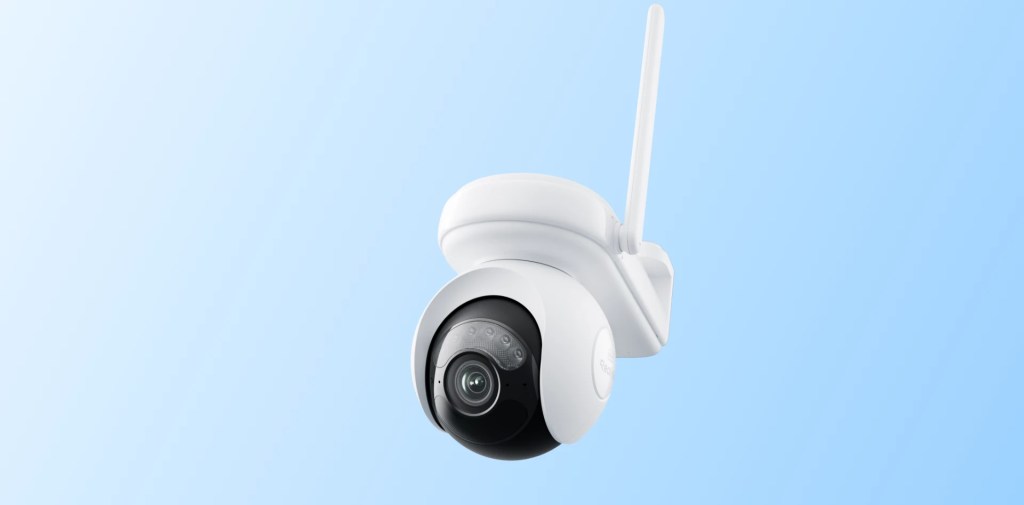
The Altas PT Ultra is a brand new high-resolution security camera that can record in 4K and includes black-and-white and color night vision! I had no idea that color night vision was even a possibility until I got my hands on this camera. So what else does the Altas PT Ultra feature?
Features
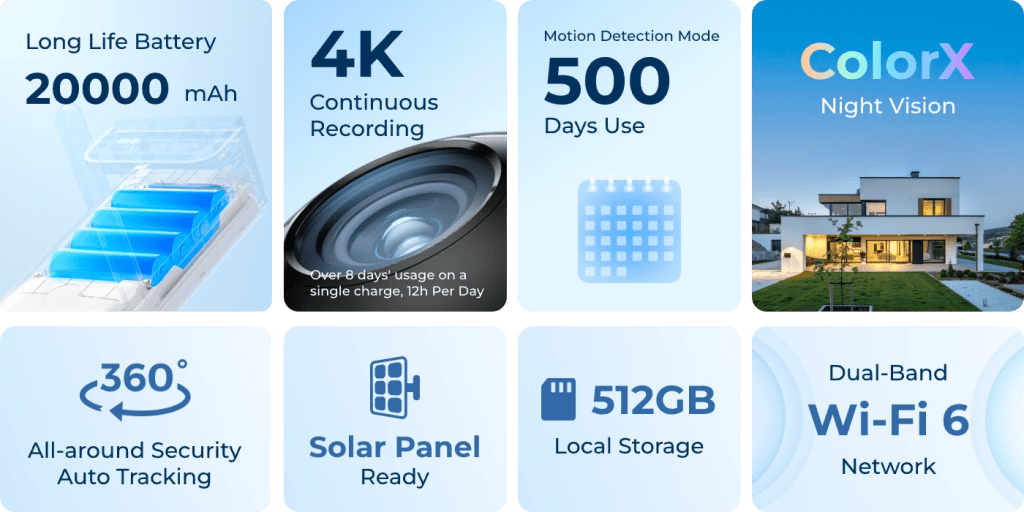
- 4K UHD continuous recording
- Day and night color vision
- All-angle pan and tilt, 360° blindspot-free view
- Enhanced smart detection with auto-tracking
- Real-time monitoring
- Dual-band Wi-Fi 6
Both the Altas PT Ultra and the Battery Doorbell also link with Google Home and Alexa super easily, which is definitely nice, but as someone routing all of my Google Home devices through Homebridge it would be really nice to see some Homebridge integration into the Reolink cameras as well.
Setup Process
I’ve been using the Altas PT Ultra for a couple of weeks now, and I have to say I’ve been really impressed with it.
This is the first Reolink product I’ve ever been exposed to, and the setup process was just about as simple as can be. You download their app, scan the QR code on your device, and let it do its thing. That’s about it — super simple.
Now, I live in an apartment, so it’s not exactly practical for me to mount this thing onto the ceiling (as Reolink kind of expects you to do), nor can I really hook up the included solar panel (say what?). Yeah, Reolink includes a solar panel that just plugs right into the camera and mounts to a surface, so that users can just set it and forget it. (I will eventually get around to testing this, because it looks really cool but I think I’d violate my lease in doing so….).
READ MORE: I’m really impressed with the Razer Firefly V2 Pro
Video quality
Debatably, to many, the most important spec when it comes to home security cameras is the video quality. When you buy a camera to protect your home, you want to feel confident that the quality of the footage said camera produces will be enough to capture the details that might be the difference between catching a suspect and not.
The Altas PT Ultra offers 4K Ultra High Definition recording with the option to choose between clear (better quality) and fluent (more responsive) when viewing the camera.
I have to say the quality on the Altas PT Ultra is good, for sure, but what I’m even more impressed with is its performance in low-light conditions. Sure it has a built-in spotlight to essentially ignore low-light, but even without the spotlight on I’ve found that the PT Ultra looks great.
And the night vision (and the ColorX night vision) is incredible. I had my camera set to record 24/7 for the last week or so and as I’m sitting here going through the footage I had to double- and triple-check what time I was looking at because it was crystal clear at 3 in the morning. It’s insane.
Battery life
So there’s a few different options to power the Altas PT Ultra: running it straight off the battery, or connecting it to the solar panel mentioned above. If at all possible, I would highly recommend trying out the solar panel, because the Altas PT Ultra will die in just under a week. If you’re unable to — or just don’t want to — use the solar panel, then be prepared to charge this thing on a pretty regular basis.
Reolink claims that you can get a full week of continuous recording, and while it does come close to a week, I just haven’t found myself getting quite that much time on a single charge. I assume this is probably one of those “one week of continuous recording but only on the lowest settings” things, but I can’t see any fine print on Reolink’s documentation, so I’ll have to do some more digging to figure out what’s up with that.
READ MORE: Don’t get the DJI Mic, get the Saramonic Blink500B2+ microphone system
360° rotation
One of the other major features of the PT Ultra is its ability to rotate 360 degrees on its Pan-Tilt-Zoom (PTZ) swivel-head, providing full coverage of any area that is especially great for building/room corners.
I love being able to move the camera around as freely as the PT Ultra allows, and it feels really responsive most of the time. The PTZ controls in the PTZ app do have a small amount of input lag, but it isn’t really anything more than you’d likely expect with a camera.
Overall
I really like the Altas PT Ultra, I think it’s a fantastic camera that is a great addition to any smart home (or any home in general if you’re not a massive techie).
At $210 for the standalone camera and $230 for the camera and solar panel bundled together, I have to say I’m surprised that it isn’t more expensive. I was told that Reolink was targeting a premium market with the Altas PT Ultra and while $200+ for one camera definitely is still a lot of money, I was expecting it to cost a lot more. But is it too still too much for the average consumer to justify?
Well, like any tech-related purchase, I’d say it depends. Do you need 4K UHD recording, color night vision, and all of the other features that the Altas PT Ultra provides? Do you maybe just want them? Then yeah, you’ll easily be able to justify the higher-than-average price tag for this camera.
If not? Then there’s plenty of other more budget-friendly cameras out there with less features and a lower barrier to entry.
Personally, I think a little over $200 (before shipping and tax) is quite reasonable for what the Altas PT Ultra is offering, and I might actually end up picking up another one down the road.
You can check out the Reolink Altas PT Ultra here at this unsponsored non-affiliate link!
Reolink Battery Doorbell
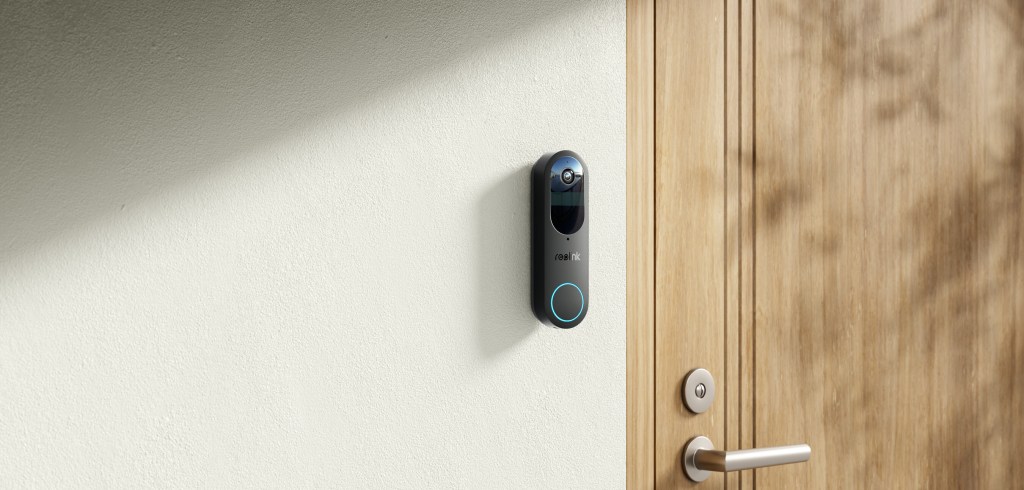
Now let’s talk about the brand new Reolink Battery Doorbell. This is the second-generation doorbell cam from Reolink, and it boasts some new and improved features over its predecessor.
The biggest of which is the completely wireless nature of the new Battery Doorbell. Users were forced to power the first-generation video doorbell with a power cable, which isn’t exactly ideal for people who don’t want to (or can’t) drill holes in their walls and/or doors (i.e. renters like myself).
Here comes the new Battery Doorbell to save the day and provide a completely wireless experience designed for a plug-and-play setup that allows users to charge the camera up and stick it on a surface in mere minutes.
Oh, and if you are in a position where you can drill some holes — you can hook the camera up with a wired power connection (though, unfortunately, it looks like you’re stuck with Wi-Fi as there isn’t an ethernet port).
I was really impressed with how quick and easy it was to set this camera up, and even more impressed when I didn’t even have to think about the camera again unless I was monitoring it (more on that in a bit).
READ MORE: The Glorious GMMK 2 is one of the best keyboards I’ve ever used
Features
Let’s take a look at some of the key features highlighted on this thing. According to Reolink, the new Battery Doorbell features:
- 2K 4MP Head-to-Toe View with 1:1 Aspect Ratio Day & Night
- Smart Detection with No Subscription Fees
- Wire-free and Hassle-free Installation
- Support Existing Wired Mechanical/Digital Chime
- Multiple Chime Options
- Dual-band Wi-Fi Network
- Trusted Local Storage with No Monthly Fees
- Boost Performance with Reolink Home Hub
- Two-way Audio with Built-in Mics and A Speaker
- Enhanced Automation with Smart Home System
I really appreciate Reolink’s whole “no subscription” thing, because I am entirely fed up with the whole “everything as a service” model. It’s nice to just be able to purchase a product and be able to use all of its features without being forced to keep paying more money to do so.
The Battery Doorbell also allows users to send quick replies to whomever is ringing your doorbell — kind of like how you can quick reply to messages on your phone, just open the Reolink app and choose one of the generic pre-written messages and the camera will read it aloud to said person (I just found out while writing this that you can also record your own messages, and I will probably be spending the next hour or so having a blast with that). Certainly a nice feature to have in a pinch if you find yourself in a situation where you can’t talk but have to answer the door.
READ MORE: Here’s everything that Razer announced at CES 2024
Video quality
The new Battery Doorbell camera features a 2K four-megapixel HD camera with head-to-toe view which should give users plenty of viewing area.
As far as doorbell cameras go, you’re not really going to get Hollywood blockbuster-level quality out of any of them, but I’ve been impressed with the Reolink so far. Like the Altas PT Ultra it has great low-light performance and the night vision is pretty good as well.
Battery life
Now it’s time to talk battery on this thing. Holy crap, I am blown away by the life on this camera. I gave it a full charge on September 1, stuck it on my door, and as of September 25 it’s just now hitting 19%. Granted, it wasn’t recording all of that time, but still — more than 20 days of power on a single charge?? That’s insane.
I’m a big fan of the runtime settings in the Reolink app as well, which lets you see how much battery your cameras have been using and when they use the most power.
Overall
The Reolink Battery Doorbell is a pretty impressive little camera with a setup process that is as close to “set it and forget it” as you can get with a product like this.
Priced at just under $150, I think the Reolink Battery Doorbell cam is pretty fair and reasonable competition with other doorbell cam companies like Ring and Google Nest. Personally, I would wait for a sale as you can pretty easily find a Ring doorbell cam for $99.
As of publishing this review, the Reolink Battery Doorbell has sold out but Reolink is working on restocking the camera for sale toward the end of October. I’ll be sure to update this review when it’s back in stock.



 Wallflower Writing
Leave a comment