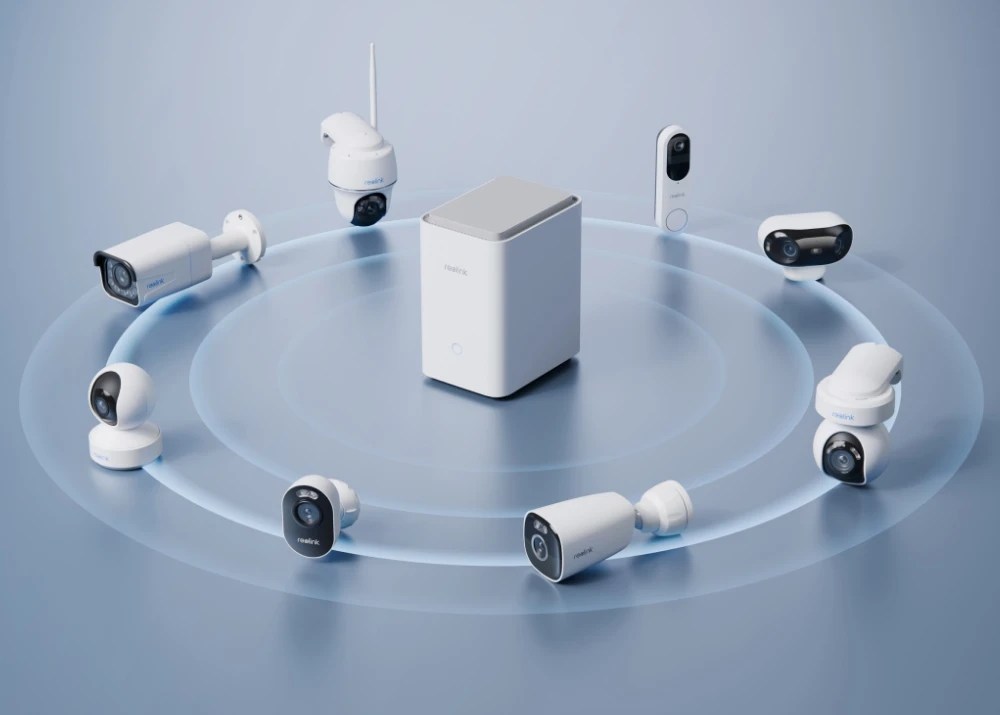
Alright, I’m back again with another Reolink review; this time we’re talking about the Home Hub and the Home Hub Pro! Are either of these devices worth your money? Your time? If you’re invested in the Reolink ecosystem, then yeah it’s a no-brainer, but which one should you choose?
Disclaimer: Reolink sent over both the Home Hub and Home Hub Pro for review purposes. They did not sponsor this review, nor did they pay me to write anything positive about their products.
Let’s start off with the differences between the Home Hub and Home Hub Pro:
Home Hub

The base-model Home Hub can support up to 8 cameras (all Wi-Fi/PoE cameras, battery cameras will require a firmware upgrade) and includes a 64GB microSD card in the box (storage is expandable with two microSD card slots that support up to 512gb each) for easy local recording.
Home Hub Pro
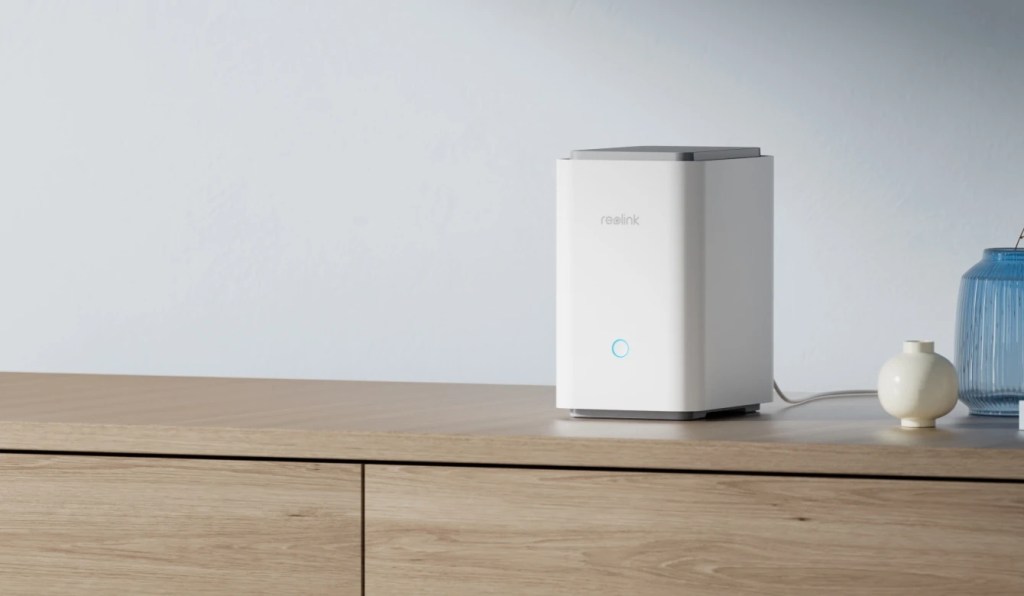
The Home Hub Pro is essentially the same thing as the base-model Home Hub, except for a few key differences. Unlike the Home Hub, the Pro supports up to 24 cameras, up to 16TB of storage, and includes a 2TB HDD for local storage. It also features 2 RJ-45 10/100Mbps ports (1 for WAN and 1 for IP cameras), and HDMI output so you can view the cameras directly rather than needing a separate client.
Now that we’ve got most of the differences out of the way, let’s talk about what both of these hubs have to offer!
READ MORE: The PowerA Fusion Pro Wireless is pretty lit…literally
Features
One of the key selling points of the Reolink Home Hub, and by extension the Pro, is the ability to store all recorded footage locally without any added monthly fees. This is decidedly the best feature of the Home Hub by far. I’m a huge fan of products that are sold as a one-time purchase that lets the buyer utilize all of its features without continuing to pay for it.
It’s one of the main reasons I absolutely hate having my Google Nest cam around, because it’s almost entirely useless without paying Google a monthly fee just to be able to use the camera for its intended purpose. I don’t care if it’s “only $8 a month” — 8 dollars is a lot of money for a lot of people! Especially when you’ve already charged these people for the product.
I really commend Reolink for sticking to their no monthly fee principles and I sincerely hope that it will continue to stay that way for as long as Reolink operates.
Another key feature of the Home Hub and Home Hub Pro is the ability to access all of your cameras completely offline. The hubs create a LAN (Local Area Network) when you set them up, so once the hub is configured they don’t need an active internet connection to function.
I’ve been trying to move all of my smart home devices off of cloud-based tech — that way I can still use it all even if it gets disconnected from the internet, so I really love that Reolink just does this by default. It makes it just that much easier to get up and running.
Setup
Setting up the Home Hub and Home Hub Pro is a breeze, but I had an issue with the Pro for a while where it wouldn’t initialize. After messing with it for longer than I wanted to I just decided to leave it alone for a few days and come back to it later. Surprisingly, that did seem to fix it and setting it up was just as easy as the Home Hub. I’m still not entirely sure what the problem was, but in the end it worked.
Aside from the issues I had with the Home Hub Pro, setting up these devices was really just about as plug-and-play as you can get.
- Plug the Hub into power and your router
- Download the Reolink app
- Find the Hub in the app
- Follow the prompts
- Add your cameras (either by LAN or QR code)
- Done
I was really happy with how simple it was to set up the hubs. Unfortunately, the simplicity pretty much ends there.
Utility
If you’re really just using the hub for live-viewing your cameras the experience is actually pretty good. There’s plenty of viewing options and it’s all pretty straight-forward.
Once you get into the recording and playback options, that’s where it gets kind of tricky. For example, continuous recording isn’t enabled by default. You have to go into the hub settings and enable it — except it’s also not as simple as that either. Continuous recording isn’t just a switch you flip on — it’s actually not even a real setting. “Continuous recording” in Reolink’s system is just setting a timed recording and just…selecting all the times available. Not exactly a great process, but I guess if it works then it’s fine, right?
Well that’s the thing, even when I set the hub to record on all of my cameras all the time…it still doesn’t do it. For whatever reason it still only picks up on new movement and records that small chunk of time where it senses that movement. I’ve been trying to figure out what I’m doing wrong with it, because I feel like that has to be user error, but I’ve followed the Reolink guide to the letter. So I don’t know what the problem is, but either way it would be great if Reolink would be able to simplify this process. (Reolink if you’re reading this: please just add a continuous recording toggle option!!)
READ MORE: Reolink has turned me into a monitoring mogul and I love it
Pricing
The Home Hub retails for $100, but is currently on sale for just under $90.
The Home Hub Pro retails for $240 and is on sale for $216 at the time of writing.
Conclusion
So should you consider grabbing one of the Reolink Home Hubs? If you’re invested in the Reolink ecosystem, then I think it’s a no-brainer. Yes, you absolutely should get your hands on a Home Hub. But which one to get is the real question here.
If you only have a handful of Reolink cameras and don’t really plan on constantly storing high-res footage…I would say you should probably go with the base-model Home Hub. For just about $100, you’re getting the best deal for a centralized camera hub.
However, if you have a larger array of Reolink cameras, or plan on expanding your system, then I would suggest looking into the Home Hub Pro. When it comes down to it, you’re really paying for the increased number of supported cameras and the extra storage.

If you take into account the cost of the base Home Hub, you’re looking at $140 for the Pro. You can get a 2TB HDD for about $70 on Amazon, or a 2TB SSD for $120 — so you’re basically paying twice as much for that hard drive if you just bought it elsewhere.
So, again, if you have more than 8 Reolink cameras and need the increased camera support — then yeah, go with the Pro. But I think for most other people, the base-model Home Hub will be more than enough especially with a higher capacity microSD card if you’re really concerned with space, but from my experience with it the included card should be more than enough for average users.
You can purchase the Reolink Home Hub and Home Hub Pro at the non-affiliate hyperlinks attached above! Let me know if you do decide to check them out and how you feel about them!



 Wallflower Writing
Leave a comment