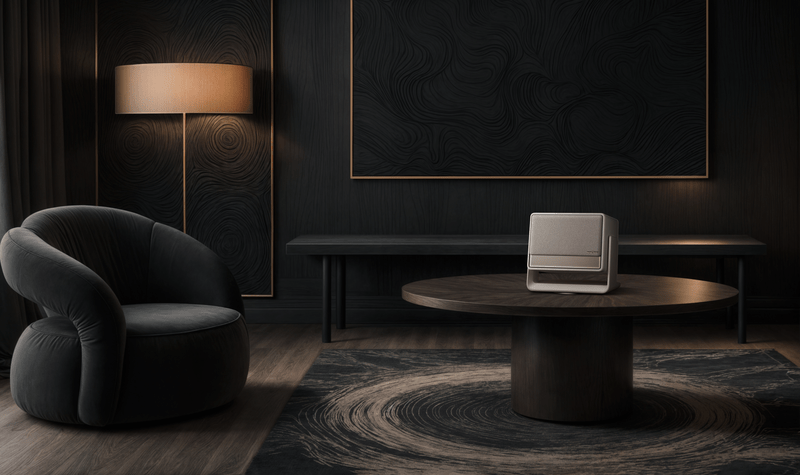
If you’ve been following me for a while, you may remember that I reviewed the XGIMI Elfin for The Click a while back. Well, it seems like XGIMI has come a long way since then as they’ve now come out with their new premium home projector, the Horizon S Max. So let’s see what makes this thing so special and if it’s worth your time.
Disclaimer: XGIMI sent over the Horizon S Max for review purposes, but we are not sponsored nor are we paid for a positive review.
XGIMI Horizon S Max

So what exactly is the Horizon S Max? Well, to state the obvious: it’s a projector. But the Horizon S Max is just a bit more than your standard home theater projector.
Features
For example, it supports Dolby Vision which is great for those deep blacks and rich colors, and it’s IMAX Enhanced. What exactly does that mean? According to XGIMI’s website, you’ll get an extra 26% screen size when IMAX Enhanced mode is enabled. So this means you should be able to take advantage of the larger aspect ratio with discs that include the IMAX aspect ratio, or for some of the titles on Disney+ that include it.
The Horizon S Max includes Intelligent Screen Adaption as well, which allows the projector to deliver some really nice features like wall color adaption. Basically, you can aim the projector at a white (or similar color) wall and it will adjust the color to compensate for the color of the wall, ensuring you get the best possible picture even if you don’t have a home theater screen.
READ MORE: Reolink Roundup: Best early Black Friday security camera deals
Personally, I’ve been making use of the wall color adaption feature for my entire time with the Horizon S Max and I have to say I’ve been stunned. I’m in a two-bedroom apartment with very sub-optimal lighting conditions, and I’m not exactly in a position to completely light control the space, so I’ve mostly been waiting until it gets dark at night to test the projector. But even with the lighting conditions not being anywhere close to ideal — holy crap, the Horizon S Max puts OUT.
I did some initial testing just to see what the projector looked like, messed around with the settings a bit to see what worked the best — did all of that with a few lower-resolution TV shows like Gravity Falls, Malcolm in the Middle, etc. — all of which looked incredible. Then I messed around with some 4K movies, obviously starting with Dune and Lord of the Rings.
But the first full 4K movie I sat down and watched was The Batman (I had just finished The Penguin, so I was in a Gotham mood). Genuinely, with absolutely no exaggeration, there were several stretches during the movie where I lost myself entirely. I forgot I was in my bedroom watching a movie being projected onto my wall. It literally felt like I was a part of Gotham, following Batman and Jim Gordon through the bone-chilling alleys trying to find The Riddler. I don’t know if I can think of any higher praise.
Gaming
I really wasn’t planning on doing a whole lot of gaming on this thing, mostly because I intended on focusing on its capabilities as a media machine for my Emby server. I had seen a random Reddit post talk about how the latency was too high and it was basically unplayable for anything other than single-player games, so I just disregarded it.
But I had some time to kill before work one afternoon, so I said why not and hooked my PS5 up to the Horizon S Max anyway…and holy gaming, Batman.
The Horizon S Max auto-detected my PS5 (and I assume just about every other console), and automatically switched over to game mode with Auto Low Latency Mode (ALLM) enabled. I really wasn’t expecting it to all switch over automatically, so it was nice to not have to manually change all of the settings to get the best performance out of it.
I booted up Dragon Ball Sparking Zero, hopped into a training match, and it felt exactly the same as it did on my TV; not a millisecond of input lag to be felt (which is a huge deal in Sparking Zero and other fighting games). This really impressed me as I was expecting there to be at least some input delay, but I really didn’t feel anything more than I would with my regular setup.
Swapping over to Ghost of Tsushima for more of a visual test, I was yet again blown away with the visual output of this projector. I think I sat there and gawked for a solid 10 minutes just taking in the breathtaking beauty of the game on such a massive display (if I had to guess, roughly 100″ after keystone).
I was so genuinely impressed after using this thing as my PS5 display for maybe 20 minutes that I just straight-up moved my entire PS5 setup into my bedroom, because I don’t think I can go back to the TV.
Unfortunately, my apartment bedroom is only so big which prevents me from being able to take advantage of the up to 200″ that XGIMI advertises for the Horizon S Max. It’s definitely a huge bummer, but even at half that size it’s still an incredible piece of work. I’ll just have to bide my time until I can set it up in a big enough room to take it even further beyond.
Audio
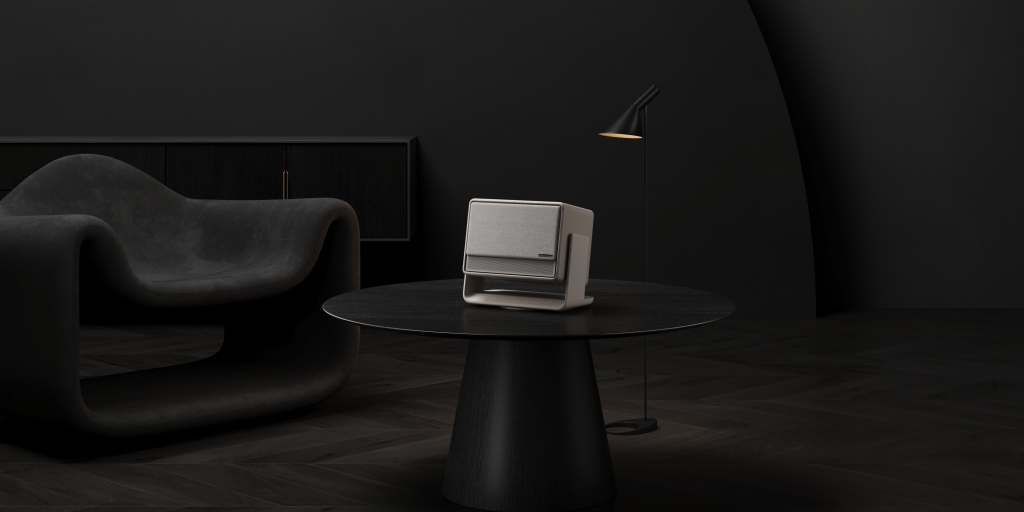
The Horizon S Max is powered by four 15W Harman/Kardon 2-channel speakers. I wasn’t really sure what to expect out of these, since most television speakers can’t seem to get it right then how am I supposed to expect a projector to do any better?
I was sorely mistaken, the Horizon S Max sounds phenomenal. It’s definitely not going to compete with a full-blown home theater surround sound setup by any means, but it does a significantly better job than I thought it would and certainly obliterates any TV speakers I’ve ever heard.
It’s rich, it’s full, and most importantly — it’s loud. Don’t expect any bass-thumping, chest-rumbling audio or anything, but it’s certainly some good sound. I rarely feel the need to turn the volume up past about 25% — mostly because I don’t want a noise complaint from the neighbors, but even so — it gets plenty loud.
Issues
As impressed with the Horizon S Max as I’ve been, it certainly isn’t without its issues. One of the biggest I’ve experienced is it seems to struggle significantly with input from the remote on boot. For whatever reason, it is incredibly slow to respond to input for a short time after booting up the projector. I’m not sure if it’s just because it’s still got some start-up processes running in the background that take up a lot of resources (which would make sense), but it’s incredibly frustrating, especially when it comes to my next issue.
I did quite a bit of testing using the “Front Ceiling” mode which adjusts the picture based on the placement of the projector (watching Gravity Falls on the ceiling before bed was unbelievably cool). Unfortunately, it seems like the Horizon S Max doesn’t remember the placement settings when you shut down the projector, so I had to redo the placement settings every time I spun it up. Which wouldn’t be entirely as annoying if the OS was responsive for that time, but it wasn’t. So not only did I have to deal with trying to adjust settings with unreasonably slow input, but I had to do it upside down. Not fun.
I’m not sure if that’s just because it wasn’t technically upside down, as I just had it angled to point up at the ceiling, because I haven’t had any issues with settings being saved between power cycles when I just have it pointing at the wall. It would be nice if there was an option to override some of those defaults and lock your positioning settings for unorthodox setups like I had.
READ MORE: The PowerA Fusion Pro Wireless is pretty lit…literally
Specs
Here’s where we get into all the technical stuff, and I think it’s going to be easier to just list out the specs of the Horizon S Max. So here they are:
- Light Source: Dual Light 2.0
- Expected Lamp Life: 20000 Hours
- Display Technique: DLP
- 3D: Yes, Frame Packing & Side by Side
- Supported Formats: HDR10, HLG, Dolby Vision, IMAX Enhanced
- Latency: Game Mode ≤ 20ms (AK off)
- MEMC: Yes
- Brightness: 3100 ISO Lumens
- Standard Resolution: 3840×2160 pixels
- Color Gamut: BT.2020 110%
- Contrast Ratio: Dynamic 1000000:1
- Lens: High Light Transmission Coated Lens
- Eye Protection: Yes
- Auto Keystone Correction: ISA 5.0 Uninterrupted Auto Keystone
- Focus: ISA 5.0 Auto Focus
- Intelligent Screen Alignment: Yes
- Intelligent Obstacle Avoidance: Yes
- Digital Zoom: Yes
- Throw Ratio: 1.2:1
- Aspect Ratio: 16:9/4:3
- Projection Method: Front, Rear, Front Ceiling, Rear Ceiling
- Image Size: 40″-200″
- CPU: Cortex-A55
- GPU: Mali-G52
- RAM: 2GB
- Storage: 64GB
- System: AndroidTV 11.0
- Fast Boot: Yes (STR)
- Mirroring Display: DLNA/GoogleCast
- Speaker: 2x12W Harman/Kardon
- DTS-Virtual:X: Yes
- DTS-HD: Yes
- Dolby Audio: Yes
- Dolby Digital: Yes
- WiFi: WiFi 5 Dual-band 2.4/5GHz, 802.11a/b/g/n/ac
- Bluetooth: Bluetooth 5.1
- Input Ports
- DC x1
- HDMI (eARC supported) x1
- USB x2
Should you get the XGIMI Horizon S Max?
If you’re in the market for a home theater projector and you either don’t have the space for a bulky projector, or you’re on a relatively tight budget — absolutely, I could not recommend the Horizon S Max more.
Yes, it has its issues, but they’re so minimal in the grand scheme of things that the pros far outweigh them and it’s not even close. The Horizon S Max looks great, it sounds great, and it’s super flexible for just about any scenario you find yourself in.
Going on a road trip? Awesome, throw this bad boy in the back of the car and you won’t have to settle for movie nights huddled around a laptop that’s so small you can’t see or hear it (just make sure you’ve got a way to power it).
Got a basement that you want to trick out and invest so much time into perfecting that you never leave and your family thinks you’re missing? Well…that might be a little bit much, but the Horizon S Max is perfect for that too!
The XGIMI Horizon S Max will cost you $1899 and is available on XGIMI’s website and Amazon.


 Wallflower Writing
Leave a comment